Trading Log & Journaling
9 articles
The Trading Log automatically gathers your entire account trading history into one organized table.
It displays all your trades with adjustable date ranges and sortable columns, allowing you to review entries by:
- Time and date
- Trading symbol
- Trade type
- Profit and loss
- Other key trade metrics
This centralizes all your trading activity for easy navigation, review, and quick performance analysis.
You can customize which columns are visible in the Trading Log using the Select Columns button in the top-right corner of the table.
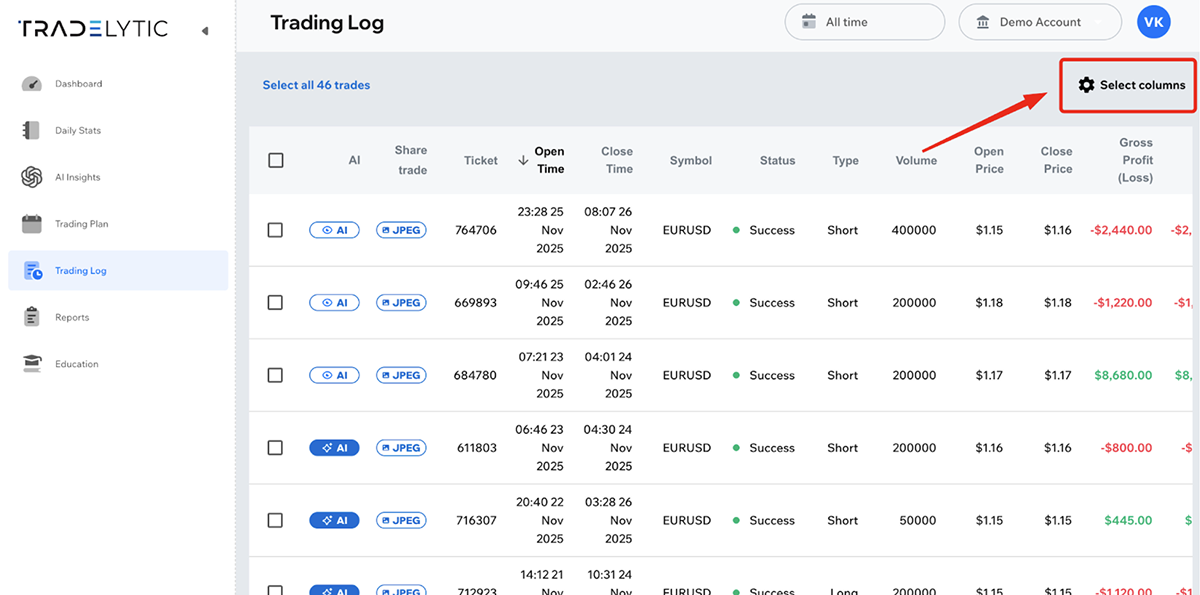
When you click it, a menu appears where you can enable or disable individual fields.
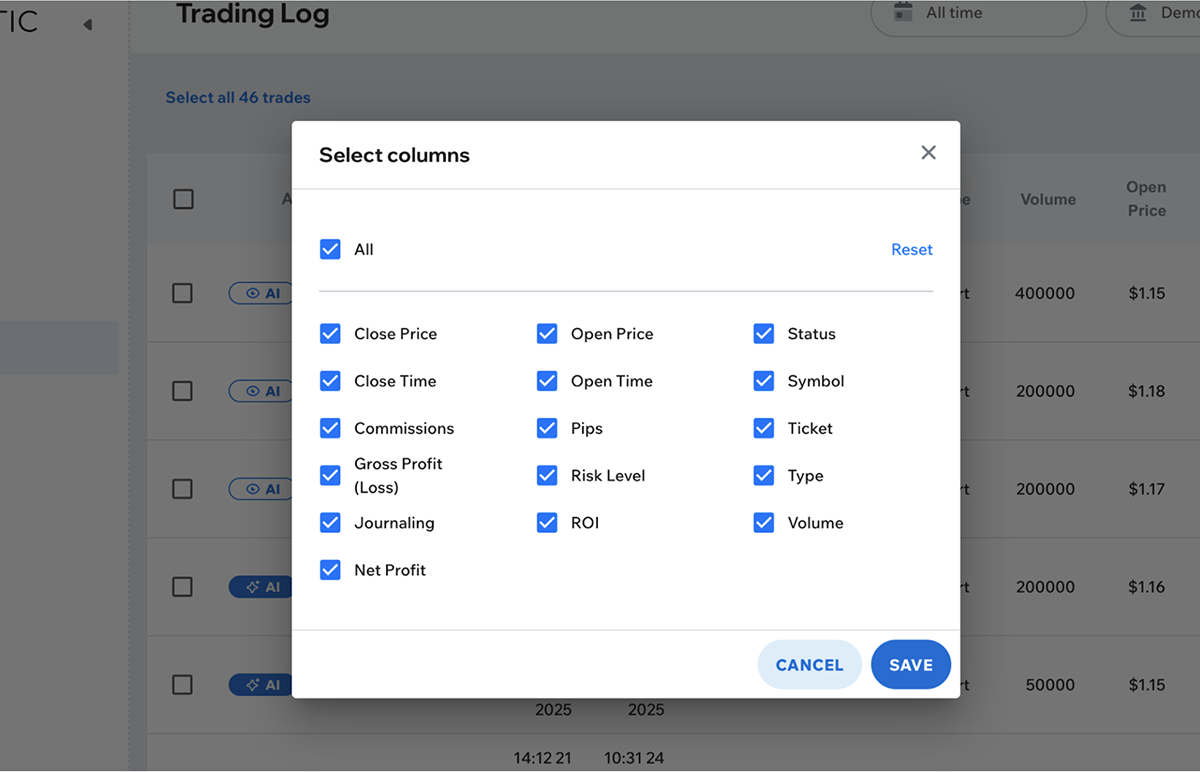
This allows you to tailor the Trading Log to show only the information you need.
You cannot edit or delete trades that come from automatic MT4/MT5 synchronization.
However, for manual accounts, you can edit trades by updating them directly in our .xlsx import template. If you modify a specific trade (by its ticket ID) in the template and re-import it, the trade will be updated in your Trading Log.
At the moment, deleting trades is not supported, but we plan to add this option for manual accounts in the future.
Bulk actions let you select multiple trades at once to prepare them for journaling.
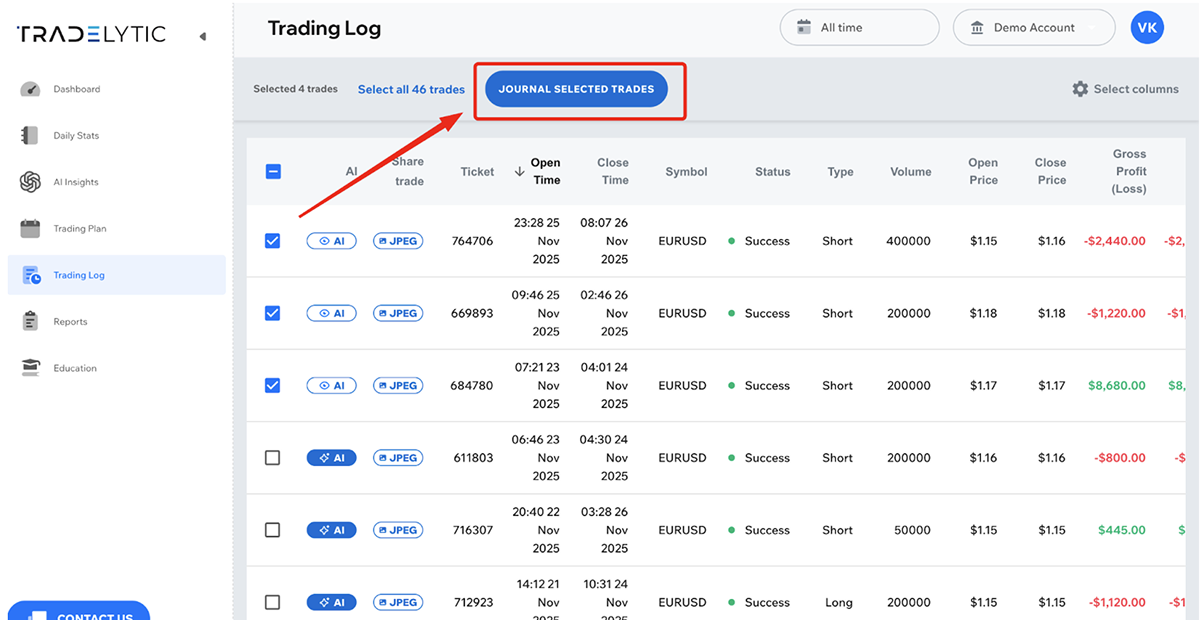
This is especially useful if you want to fill in journal entries for several trades in a row, saving time and simplifying workflow.
Journaling adds reflection and context to your raw trade data.
When you open a trade for journaling, you complete a structured questionnaire that records your:
- Emotions
- Strategy
- Confluence factors
- Risk management decisions
You are not required to fill out the questionnaire — it is completely optional.
However, completing it is highly beneficial, because it helps you understand
the psychological and strategic factors behind your decisions and reveals
patterns that aren’t visible in the charts or statistics alone.
The journaling form records the following information for each trade:
- Emotions: confidence, fear, stress, impulsiveness, and other psychological states
- Strategy: the setup or approach used for the trade
- Confluence: supporting factors such as key levels, indicators, or market structure
- Risk management: SL/TP logic, risk size, and whether the trade followed your plan
These insights enrich your analytics and help identify behavioral and strategic patterns that are not visible from raw trade data alone.
Yes.
Journaling can be completed after a trade is closed, and you can edit your journal
entries at any time.
This allows you to catch up on past trades or correct and refine previous journal
submissions whenever needed.
All completed journal entries feed directly into the Reports section.
Your psychological insights, strategy performance, confluence patterns, and risk
management behaviors are analyzed and displayed in dedicated dashboards inside Reports.
By combining automatic trade data with structured reflection, journaling transforms your trade history into actionable insight.
It allows you to:
- Understand your emotional patterns
- See whether you consistently follow your strategy
- Evaluate confluence factors behind your entries
- Track risk discipline and decision quality
- Identify strengths and weaknesses in your trading behavior
This leads to more informed decisions and long-term improvement in overall trading performance.
