
How can I customize columns in the Trading Log?
You can customize which columns are visible in the Trading Log using the Select Columns button in the top-right corner of the table.
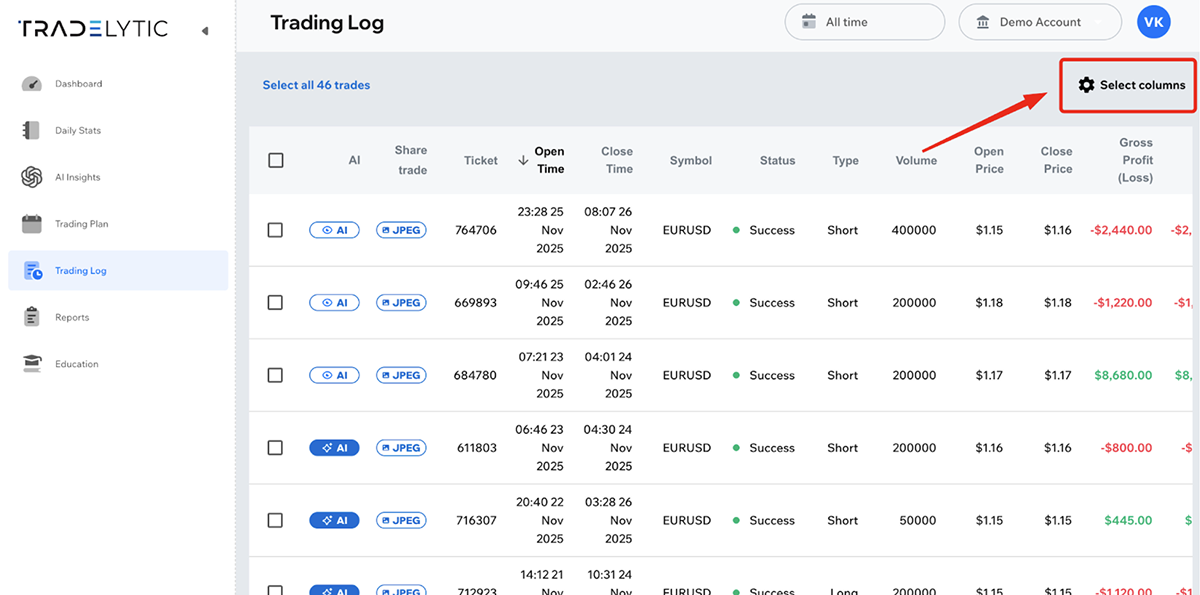
When you click it, a menu appears where you can enable or disable individual fields.
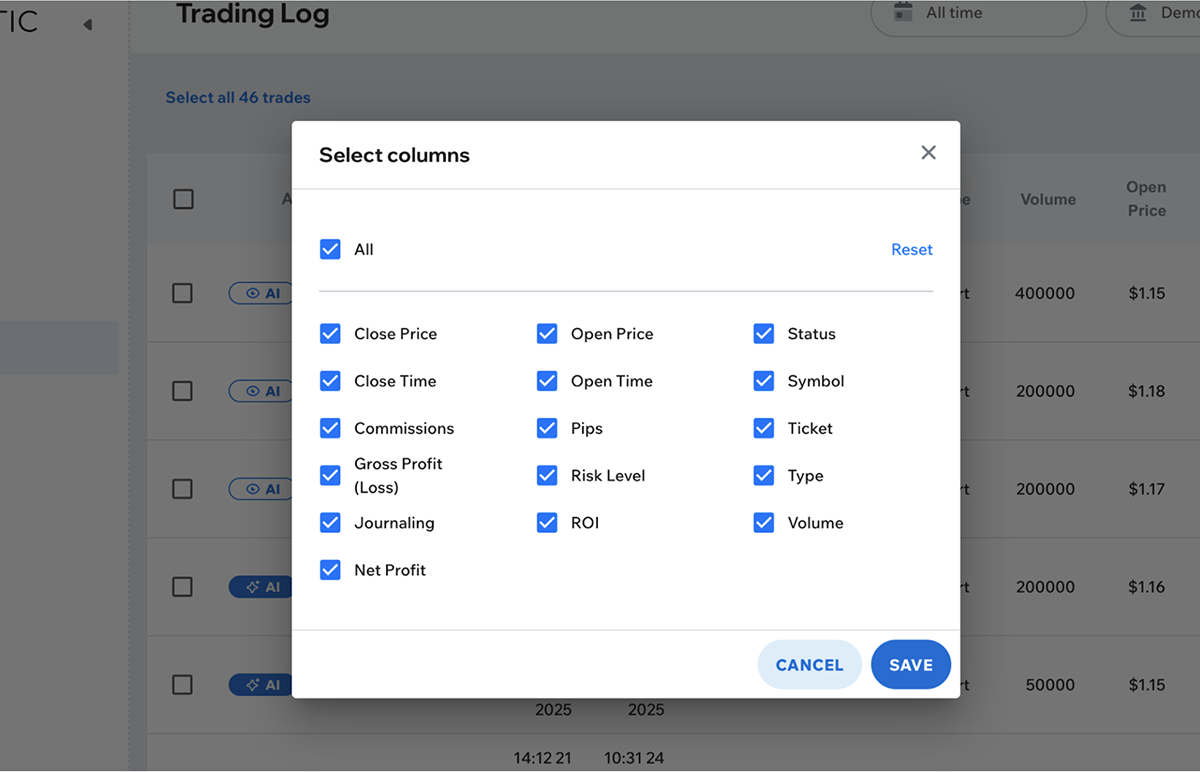
This allows you to tailor the Trading Log to show only the information you need.